SRM Institute of Science and Technology, Chennai
Application form FREE of Cost for a Limited Period of Time | #11 by NIRF | NAAC A++ Accredited Institution | 1100+ Recruiters



How to Fill CUET Application Form 2027: NTA will release the CUET UG 2027 application form in February. Aspirants can fill and submit the CUET 2027 application form before the deadline. The candidates must provide their academic, personal, and contact information in the CUET UG 2027 application form at the official website - cuet.nta.nic.in. Prior to submission, it is important to verify that all the information entered in the CUET 2027 application form is accurate and consistent with the supporting documents.
This Story also Contains
If candidates forget their CUET application number or password, candidates can recover them. Candidates have the choice to get their CUET application number or password back from NTA. Read the rest of the article to learn how to fill out the CUET application form for 2027.
The National Testing Agency will announce the CUET exam 2027 registration date in February. Students can fill out the CUET application form 2027 by visiting the official website at cuet.nta.nic.in. Aspirants can know how to complete the CUET from fill up 2027 from this article. Candidates are advised to check the steps below on where to fill CUET form.
Get expert advice on college selection, admission chances, and career path in a personalized counselling session.
Step 1: Registration
Step 2: Application Process
Step 3: Choose a Test Site
Step 4: Choose a University or Program
Step 5: Choose a Test Paper or Subject
Step 6: Add a photo and a signature.
Step 7: Paying the Application Fee
Before beginning to fill out the CUET application form 2027, candidates need to have the following documents available.
Scanned copies of signatures and photos.
Certificates of category (if in a reserved category).
Payment information for the CUET 2027 registration fee via debit card or online banking.
Proof of photo identification, such as a copy of a ration card, bank passbook, or Aadhaar.
A scanned copy of the 10th grade report card
A scanned copy of the 12th grade report card
Current email address
Valid mobile number
Application form FREE of Cost for a Limited Period of Time | #11 by NIRF | NAAC A++ Accredited Institution | 1100+ Recruiters
Scholars’ Round Deadline: 14th Nov’26 | Earn upto 50% merit Scholarship + 10% for top performers | EFMD Accredited | AACSB (USA) & AMDISA Member | Highest CTC 28 LPA
Aspirants wondering on how to give CUET exam can check the steps given below to know how to fill CUET form 2027. While you can fill CUET 2027 application form using mobile phone, it is strongly recommended that you use a computer.
Step 1. Registration
Applicants need to click on the "Registration" button after visiting the CUET 2027 admission portal; cuet.nta.nic.in.
To complete the application form, use your CUET login information.
Read the given instructions carefully to know how to fill up the application form online through NTA website - cuet.nta.nic.in.
Mark the declaration and click on the ‘Click here to Proceed’ tab.
The screen will now display the CUET 2027 registration form.
Candidates have to fill out their personal information in the first area of the application form.
The candidate's name, birthdate, mother's and father's names, gender, country, and identification documentation will be among the personal information.
Candidates need to enter their current address and mobile number in the CUET UG application form 2027.
The next step asks for their permanent address; if it matches their current address, they should check the box. Candidates will be required to submit their permanent address otherwise.
Now, make a password with eight to thirteen characters that includes one special character, one capital, one lowercase, and one number. Take Test@123, for instance.
After that, confirm the password by entering it again.
After selecting a security question, respond to it.
Candidates have to enter the supplied security pin in the final portion.
Press the ‘Submit’ to complete the registration process.
Review Page
Check the details mentioned in all the sections of the application form.
After confirming the previously stated information, candidates must check the box next to the information and declaration to confirm the eight specific details.
If candidates wish to change any details in the registration form, then they have to click on the ‘Edit Registration Details’.
To submit the registration form and proceed further click on ‘Submit and Send OTP to Mobile’.
Merits Scholarships Available | 35+ Recruiters | Highest CTC 8 LPA | Top Recruiters: Amazon, Aditya Birla, TCS, Wipro, Capgemini, Infosys, PWC and Many more
B.A Application Open 2027 | #51-100 in Innovation Category by NIRF | Highest CTC: 11.75 LPA | UGC Approved | 100,000+ Alumni Globally
Enter OTP
An OTP will be given to the registered mobile number following the submission of the registration form.
After entering the security PIN and OTP, click the "Submit" tab.
Application Status
After submitting the registration form, a new page with the application number will appear, and the email address they registered will receive an email containing the application number.
To proceed and finish the application, select "Continue."
Step 2. Filling the online CUET 2027 application form
Personal details
Candidates have to submit their personal information in the first area of the application form, some of which will be prefilled, much like in the registration process.
After submitting their personal information on the application, candidates can review the current address they provided on the registration form and make any necessary changes.
The permanent address will then be shown, and candidates have the option to modify it if they so choose.
If a candidate's permanent address is the same as their current address, they can also just check the box on the left.
Quota & Category
If candidates belong to any of these quotas & categories select ‘Yes’ and if not choose ‘No’.
Now, if candidates wish to go back and make any changes in the application form press ‘Back’.
To save all the details, click on the ‘Save’.
Application Form Review
The NTA CUET UG 2027 registration form filled with personal details will be displayed on the screen.
After examining the form, candidates can click "Back to Dashboard" to return to the previous step, click "Update Personal Form" to modify their personal information, and click "Proceed to Next Section" to go to the next step.
Education details
Now, candidates need to submit their education details.
First, candidates will have to enter their Class 10th qualification details.
After this, candidates will need to provide their Class 12th education details.
After entering their educational details, press ‘Back’ to go to the previous page or click on ‘Save’ to proceed further.
A properly completed application form with all of your educational information will show up on the screen when you click "Save."
After reviewing the information, select "Previous Section" to return to the previous section, select "Update Educational Form" to make changes to any details, and select "Proceed to Next Section" to proceed.
Examination Center Selection
● Candidates will have to choose 2 exam centres as per their convenience.
● Click 'Save' once you have selected your exam sites.
● Since candidates have been selected, confirm the exam locations.
● Click 'Previous Section' to go back to the previous section; click 'Update Examination Centre Form' to change any information; and click 'Proceed to Next Section' to continue.
Selection university and programme
Select the university and programme of their choice, then click on the ‘Add’ button.
If candidates wish to remove the programme they have selected then press ‘Remove’ and choose another programme.
Click "University/Programme Selection Preview" to move on to the next stage.
Examine the chosen university and program. Click the "Update" tab located in the upper-right corner or the "Update Program Form" button located at the bottom to make any modifications.
To go to the following step, click "Proceed to Next Section."
Test paper or subject selection
● After reading the selection guidelines, check the table to discover how many language or subject-specific options are available to candidates.
Select Test Paper / Subject(s) Selection
● Next, a candidate may choose a maximum of 5 subjects from all three sections as per the list of subjects given in the information bulletin.
● Candidates have to tap the confirmation box and then click Save after choosing every subject.
● Application Form: Examine the test paper and choose a subject or subjects.
Analyse the university and program of choice. Use the 'Update' tab or the 'Update Programme Form' button located at the bottom-right to make any modifications.
● Move on to the next procedure by pressing 'Proceed to Next Section.'
Upload documents
● Here, candidates will have to upload the photo of their photograph, signature and Class 10th documents in the specified format and size.
After selecting the photo and signature, click on ‘Start Upload’ to upload the documents or press ‘Cancel’ to remove these documents.
Once candidates have uploaded the documents, press the ‘Proceed to Preview Section’ tab.
Review the duly filled application form
Check all the details mentioned in the CUET online application for 2027 before proceeding to the payment section.
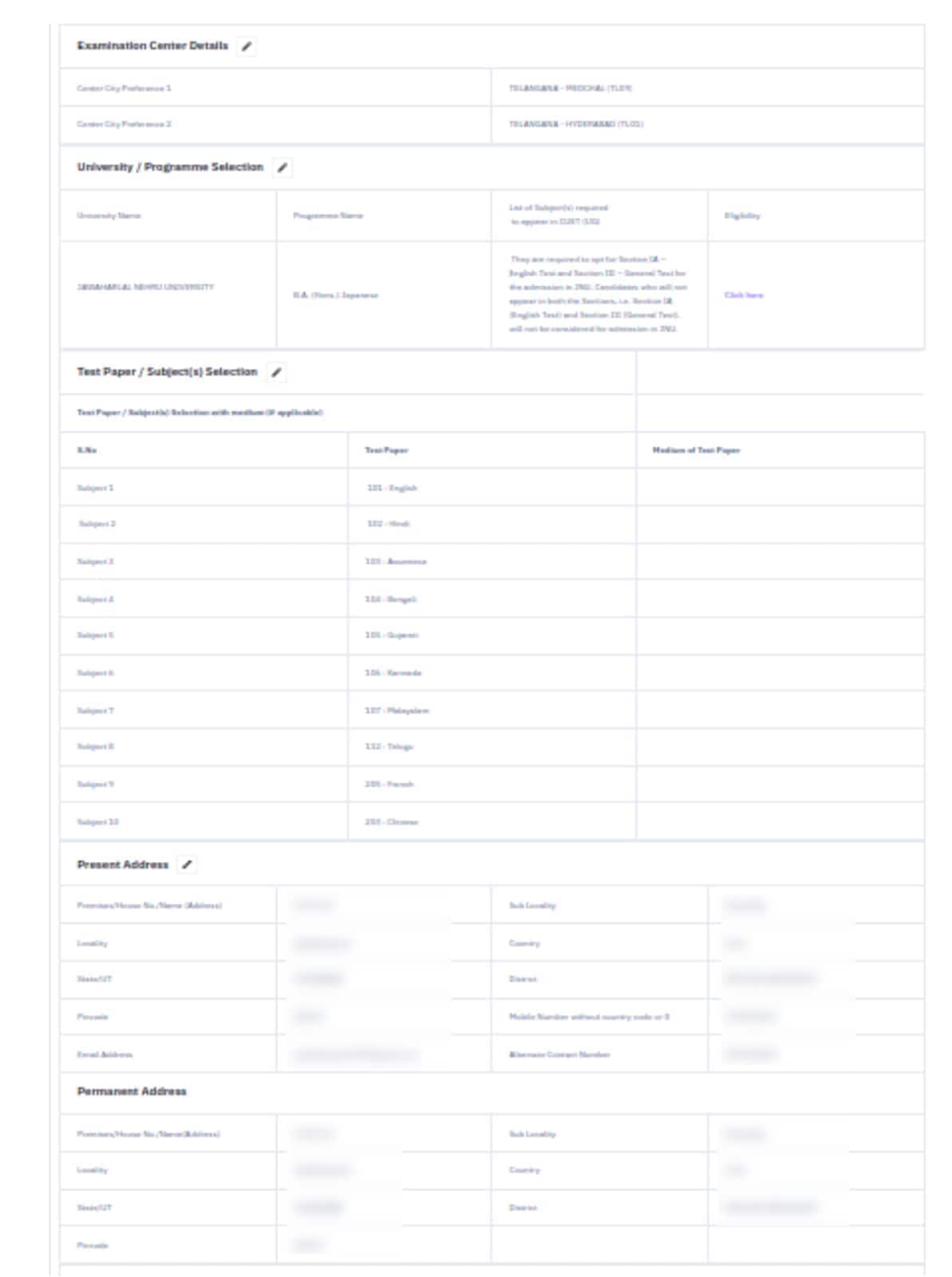
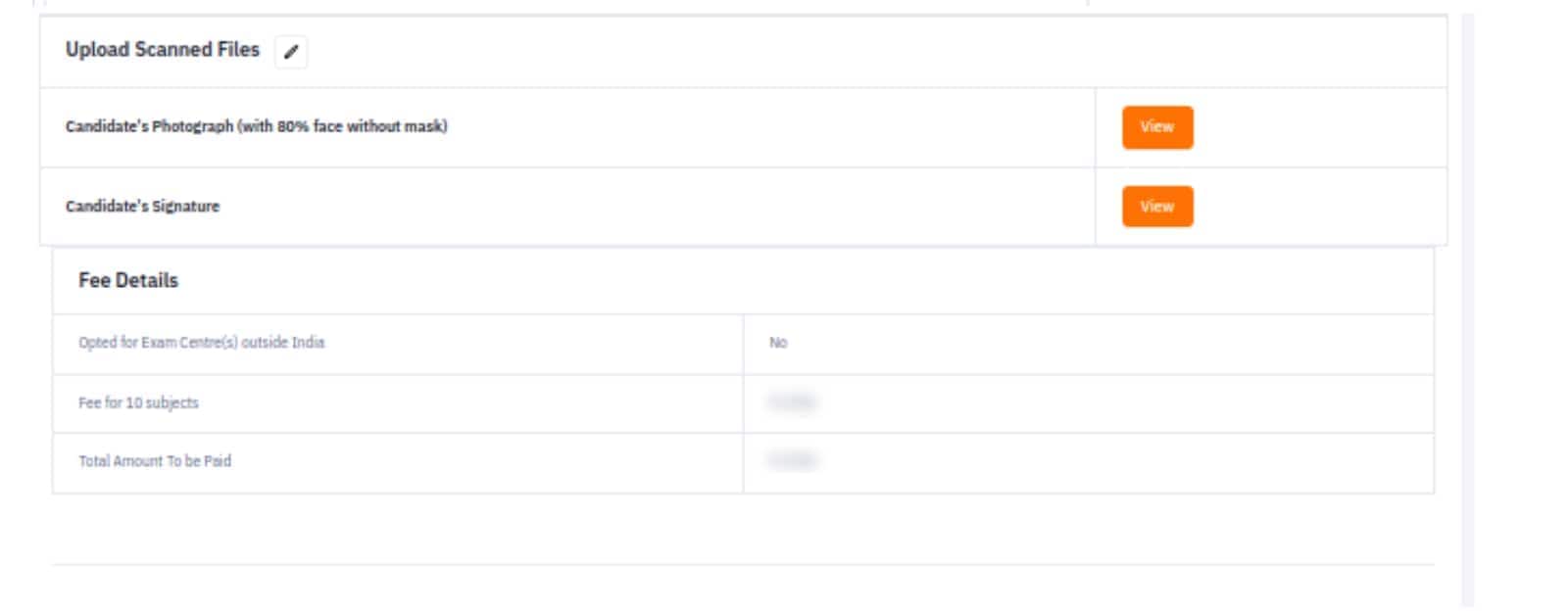
Particulars to be verified
At the end of the application form, candidates have to verify some particular details by marking the box beside the given details and declaration.
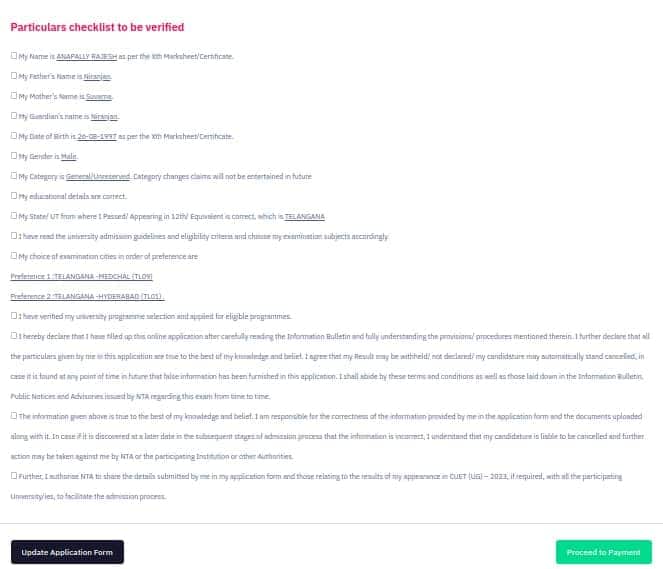
After verifying the details and marking the details, click on ‘Proceed to Payment’ to pay the application fee.
Confirm Email ID
Enter their email ID in the second box to confirm it.
Then, enter the security pin and press ‘Verify’.
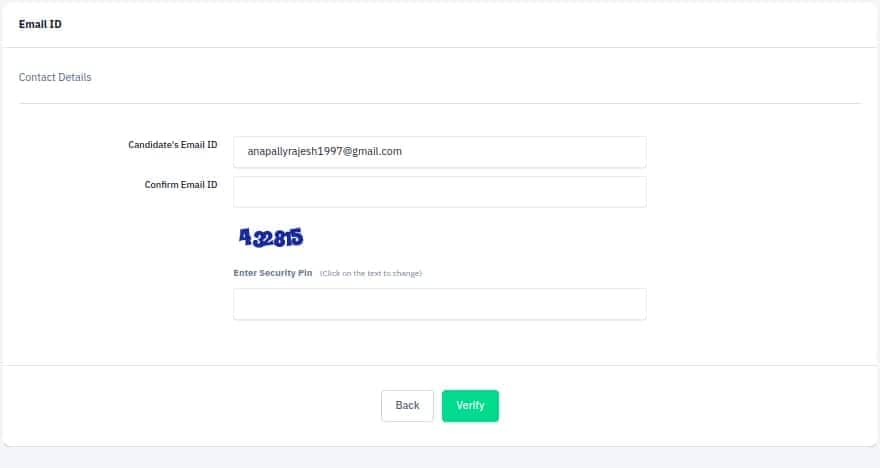
Now, a verification code will be sent on the email ID candidates have mentioned in the second box.
Enter that code in the required section.
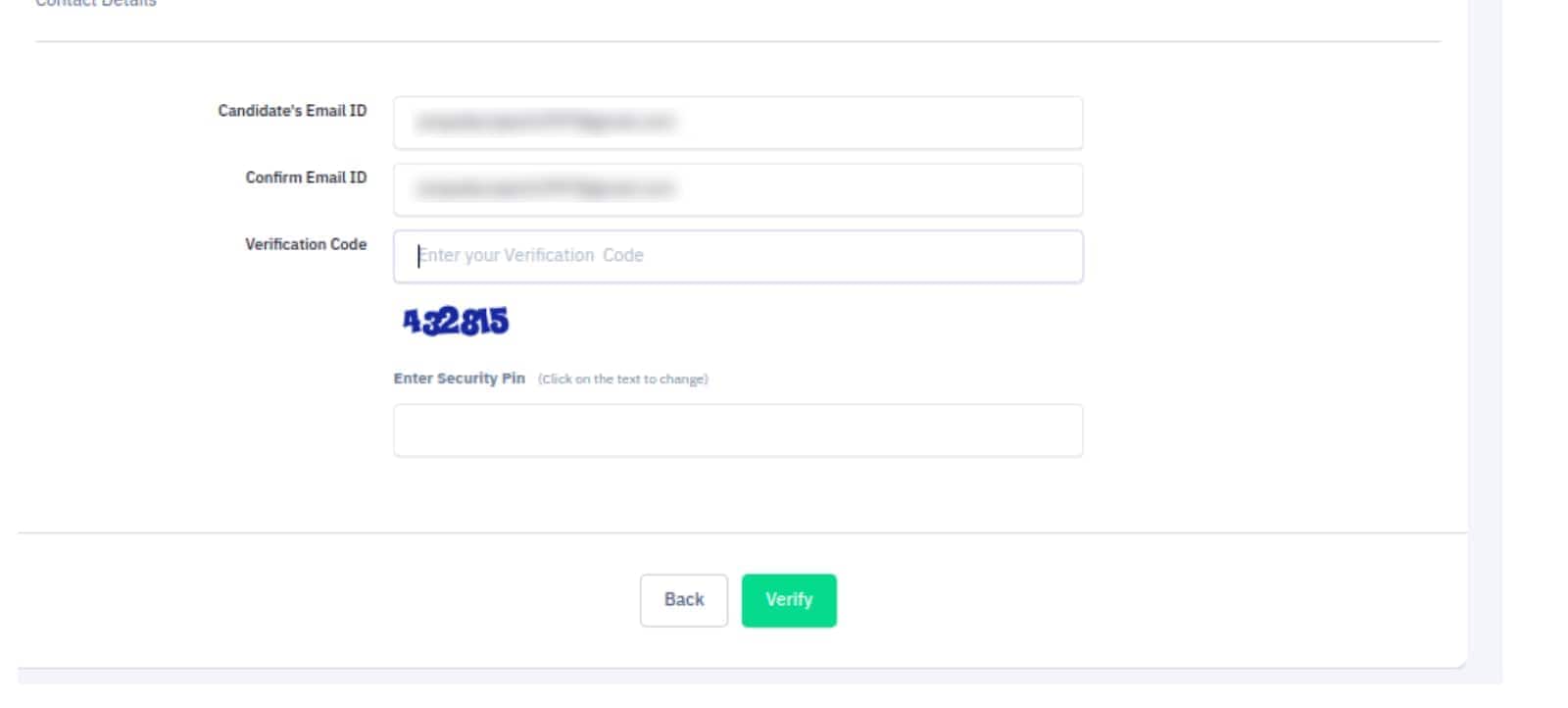
After entering the verification code, press ‘Verify’.
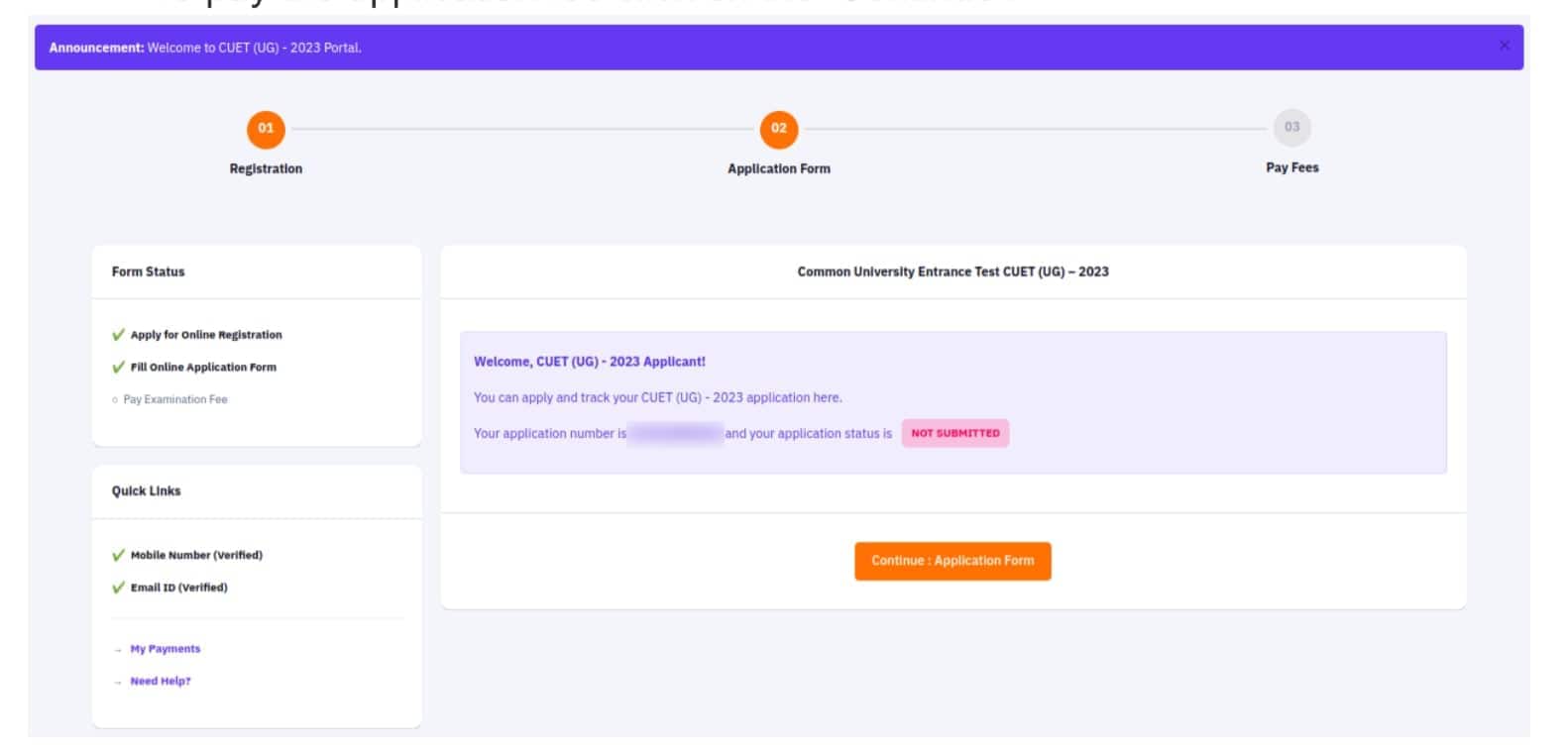
Application Status
A new window will now show that applicants have finished the second step of the application process and are ready to proceed to the last step, which is to pay the application fee.
Click "Continue" to pay the application cost.
Now all the sections of the application form with details will be displayed and candidates will have to go through them again.
Check the details again and make any changes if necessary.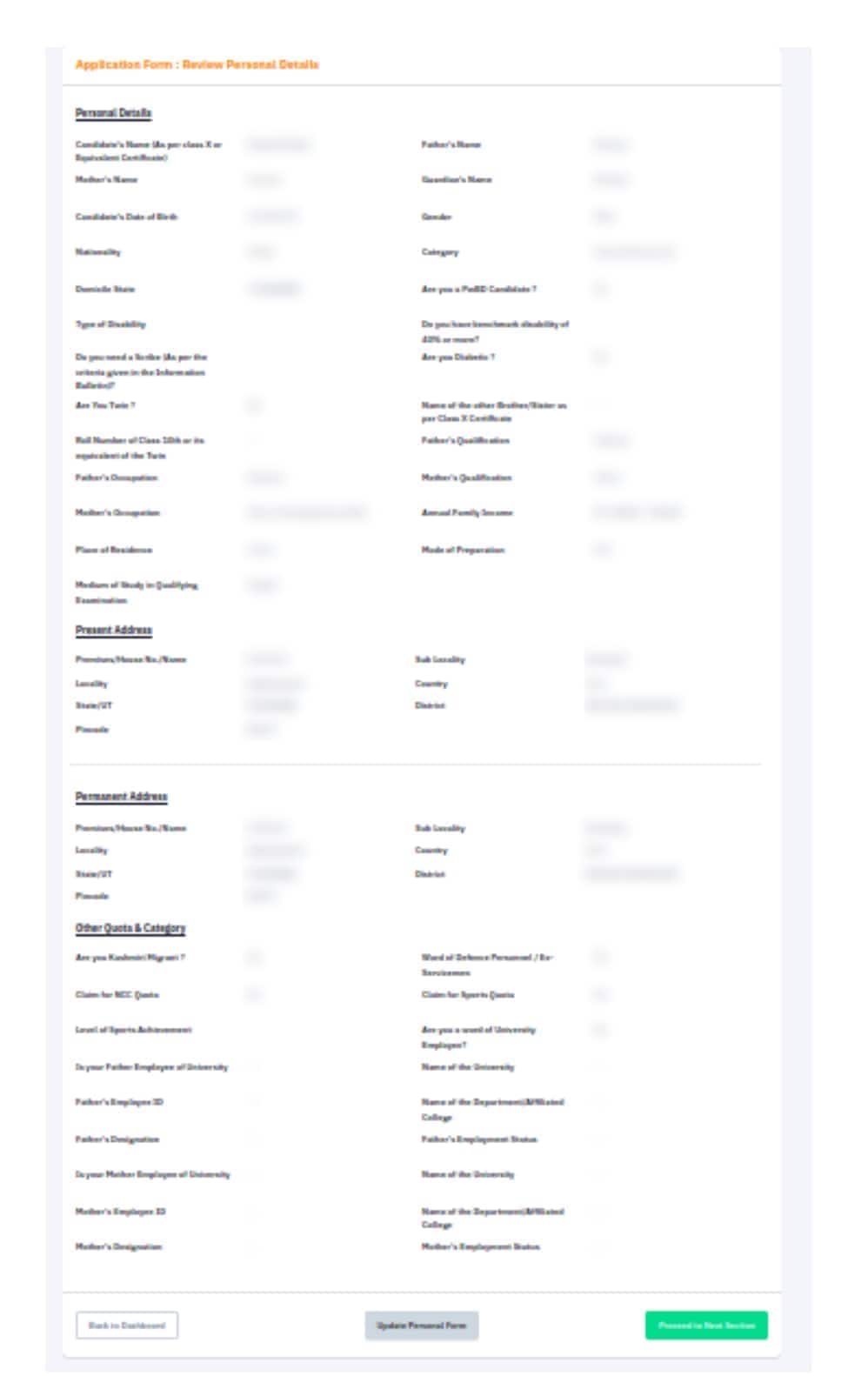
If all the details are correct, keep moving to the next section until candidates are on the ‘Registration Payment’ section.
Step 3. CUET 2027 application fee
Check the necessary details for payment.
Category | Application Fee (3 subjects) | Application Fee (for every additional subject) |
General | Rs. 1000 | Rs. 400 |
OBC/ EWS | Rs. 900 | Rs. 375 |
SC/ ST/PwD | Rs. 800 | Rs. 350 |
Centres outside India | Rs. 4500 | Rs. 1800 |
Step 4. Payment of CUET UG Application Fee
Choose the payment gateway (SBI, Canara Bank, ICICI Bank or Paytm) to pay the fee.
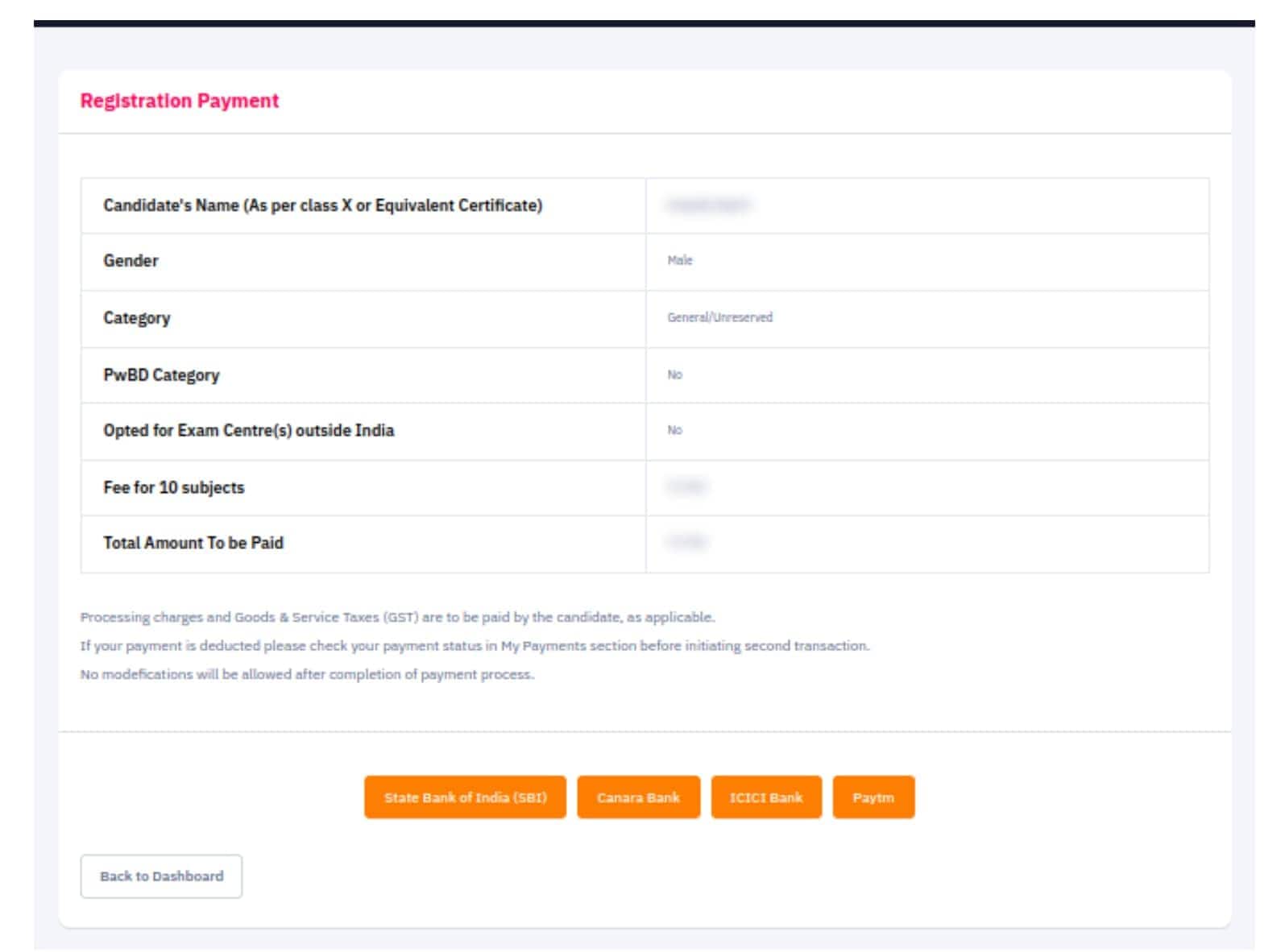
Check the amount to be paid and click on ‘Pay Now’ to complete payment or press ‘Click here to go back’ if candidates wish to go to the previous section.
Once candidates click on ‘Pay Now’ provide the required information and pay the application fee.
Candidates should click on the “Confirm” button to get the receipt of fee payment.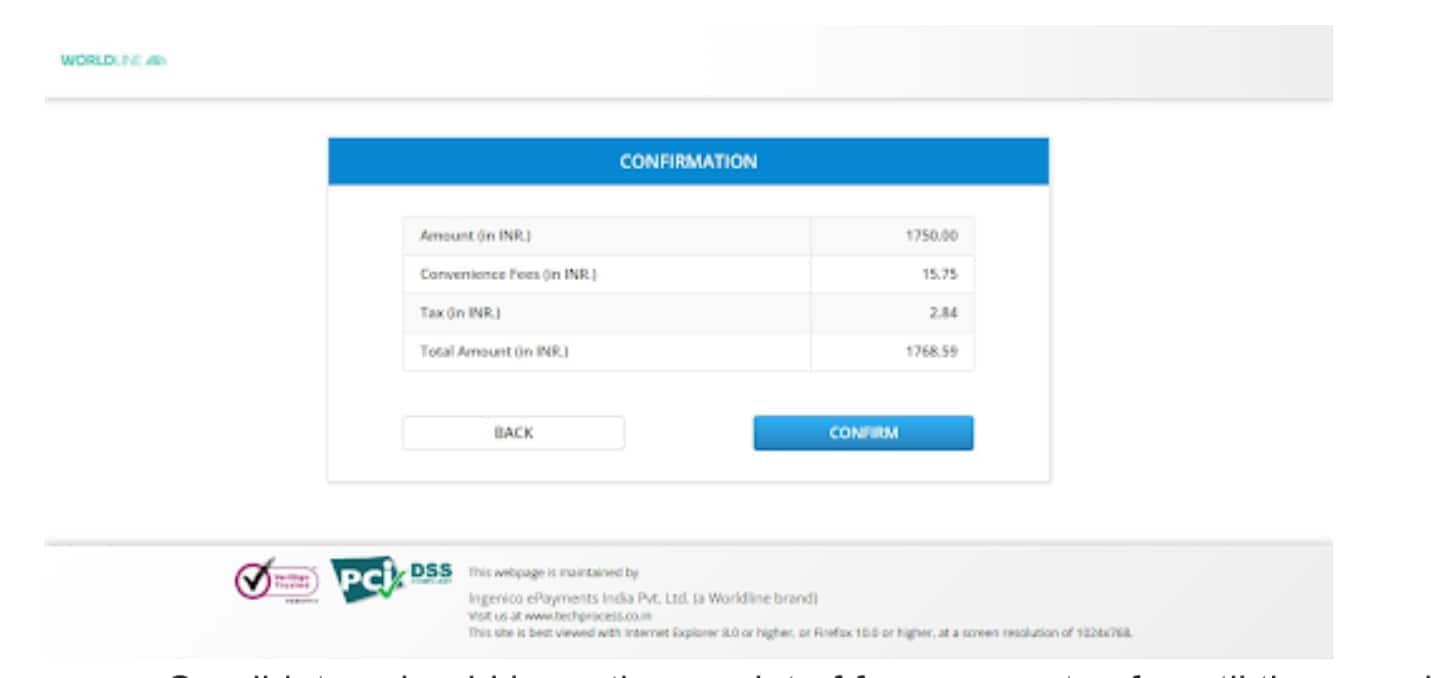
Candidates should keep the receipt of fee payment safe until the complete admission process is over.
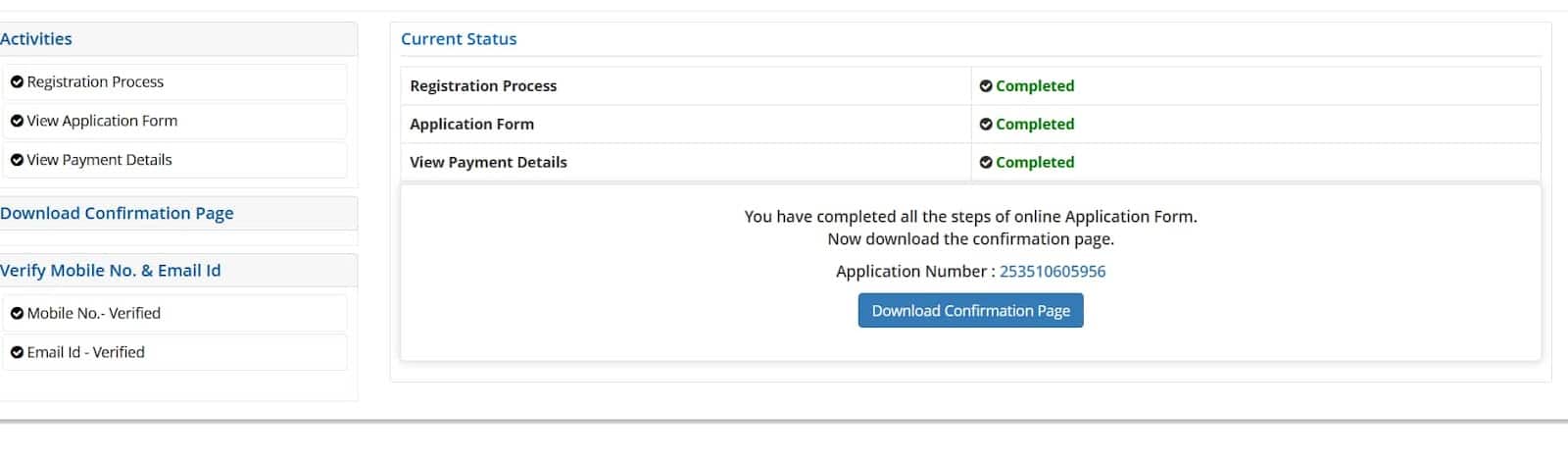
After paying the application fee, click on the ‘Download’ to download the application form.
The National Testing Agency will provide the correction facility to edit the CUET 2027 application form from February. Students can make the changes till the very last day of CUET 2027 application form correction window closes. Candidates can change their "student details" on the CUET 2027 correction form. They can also choose from a variety of CUET courses and several universities. Students can also get an idea about "Can I edit my Aadhaar details in CUET application form 2027" during the correction window. Candidates need to confirm the information from the certificates and mark sheet before making any changes on the CUET application form.
Frequently Asked Questions (FAQs)
NTA will release the CUET application form 2027 in February.
The CUET entrance exam application fee can only be paid online. Candidates have many options for paying the CUET application fee: credit card, debit card, and net banking.
The required documents to submit with the CUET application form include a valid ID proof, educational qualification certificates, mark sheets, and a passport-sized photograph.
To fill CUET 2027 application form, candidates are required to visit the official website of CUET UG.

On Question asked by student community
Hi!
Given below is the link to access the CUET 2027 English Vocabulary:
https://university.careers360.com/articles/cuet-2027-english-vocabulary-words
You may also find these helpful:
https://university.careers360.com/articles/50-most-important-phrasal-verbs-for-cuet-ug-2027
https://university.careers360.com/articles/idioms-and-phrases-for-cuet-2027-english-preparation
Hope that helps!
Hi student!
Given below are the links to access the CUET UG Previous Year Question Papers.
Also check:
https://university.careers360.com/articles/cuet-previous-year-question-papers
https://university.careers360.com/articles/cuet-ug-pyq
https://university.careers360.com/articles/cuet-question-papers
Hope it helps!
Hello Divyam,
Download CUET UG PCM memory-based papers from the link below and apply filters to access Physics, Chemistry, and Math resources.
https://www.careers360.com/download/cuet-ebooks-and-sample-papers
Hi,
You can check the CUET Tamil previous year question paper with answer key by clicking on the link below.
Hi,
The total marks of CUET UG for each subject is 250 marks. You can check the CUET OBC cut off marks of previous year by clicking on the link below.

Application form FREE of Cost for a Limited Period of Time | #11 by NIRF | NAAC A++ Accredited Institution | 1100+ Recruiters
Scholars’ Round Deadline: 14th Nov’26 | Earn upto 50% merit Scholarship + 10% for top performers | EFMD Accredited | AACSB (USA) & AMDISA Member | Highest CTC 28 LPA
Merits Scholarships Available | 35+ Recruiters | Highest CTC 8 LPA | Top Recruiters: Amazon, Aditya Birla, TCS, Wipro, Capgemini, Infosys, PWC and Many more
B.A Application Open 2027 | #51-100 in Innovation Category by NIRF | Highest CTC: 11.75 LPA | UGC Approved | 100,000+ Alumni Globally
Merit Scholarships available | Top Recruiters: HDFC Bank, Wipro, Axis Bank, Hindustan Unilever limited
BCI Approved Programs | AA+ Graded Law School in Tripura (East Zone)